How To Make Scheduling, Where To Find Us To Create Ease And Flow.
This Is The How To Page Where We Make , Scheduling And Everything In Between Easier To Maneuver! Ease And Flow <3
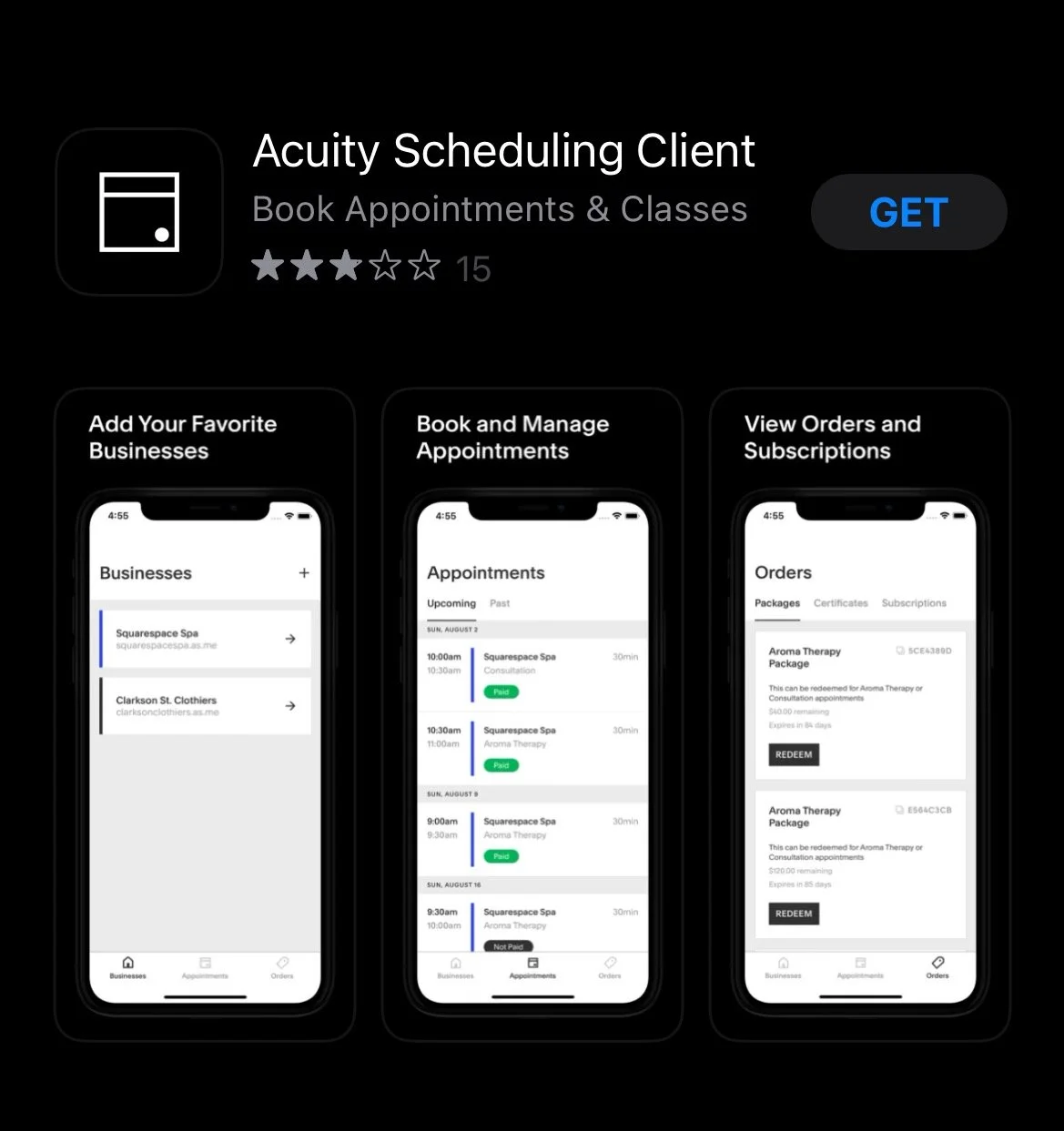
Setting Up An Acuity App Account.
This is the app to create an easier time scheduling in for class!
Step 1: Go to App Store on Phone.
Step 2: Type into search bar Acuity Scheduling Client.
Step 3: Download App.
Step 4: Create Your Account!
Step 5: Find Add Business in App. Type In. https://sagewoodwellness.as.me/
This will Create Ease And Booking at the touch of your finger tips.
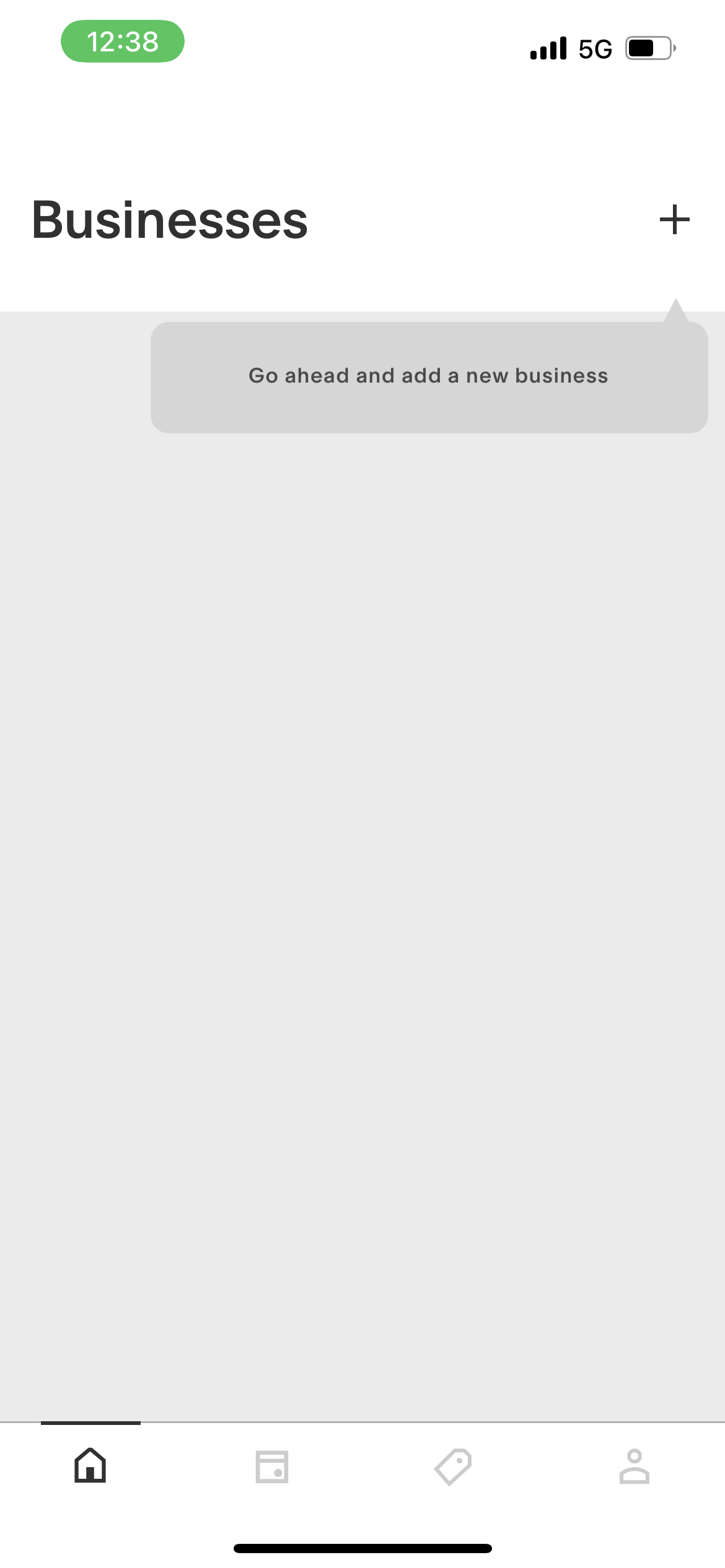
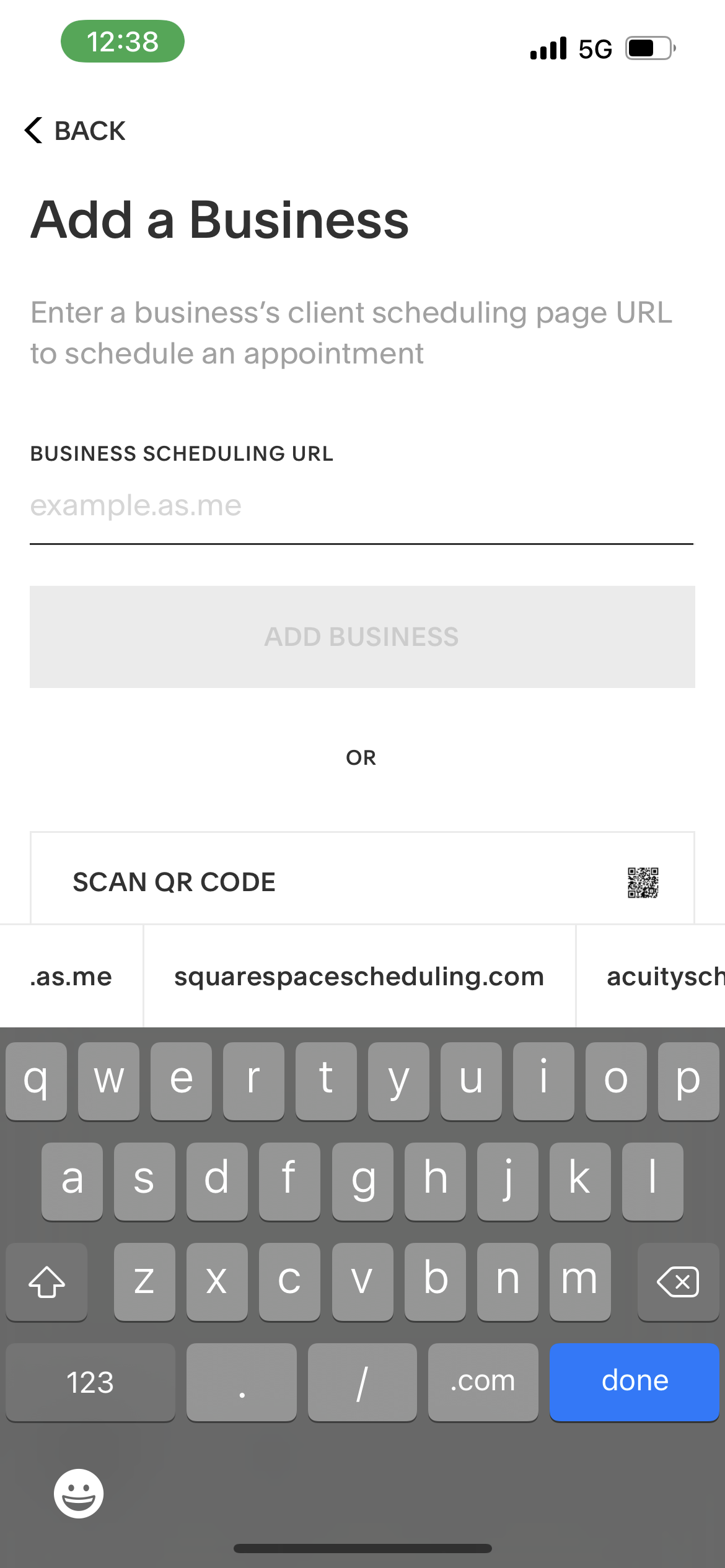
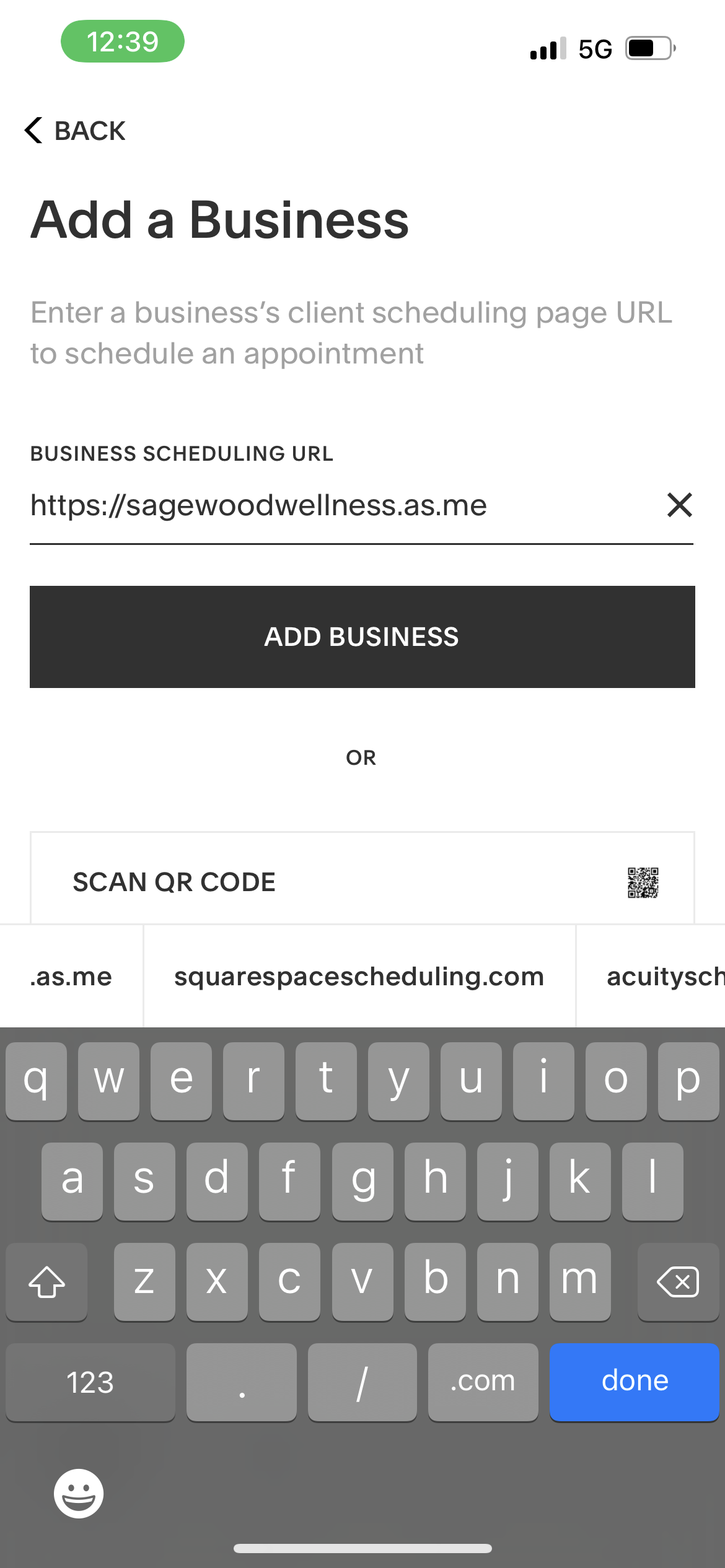
Next Step is becoming familiar with new aspects of booking.
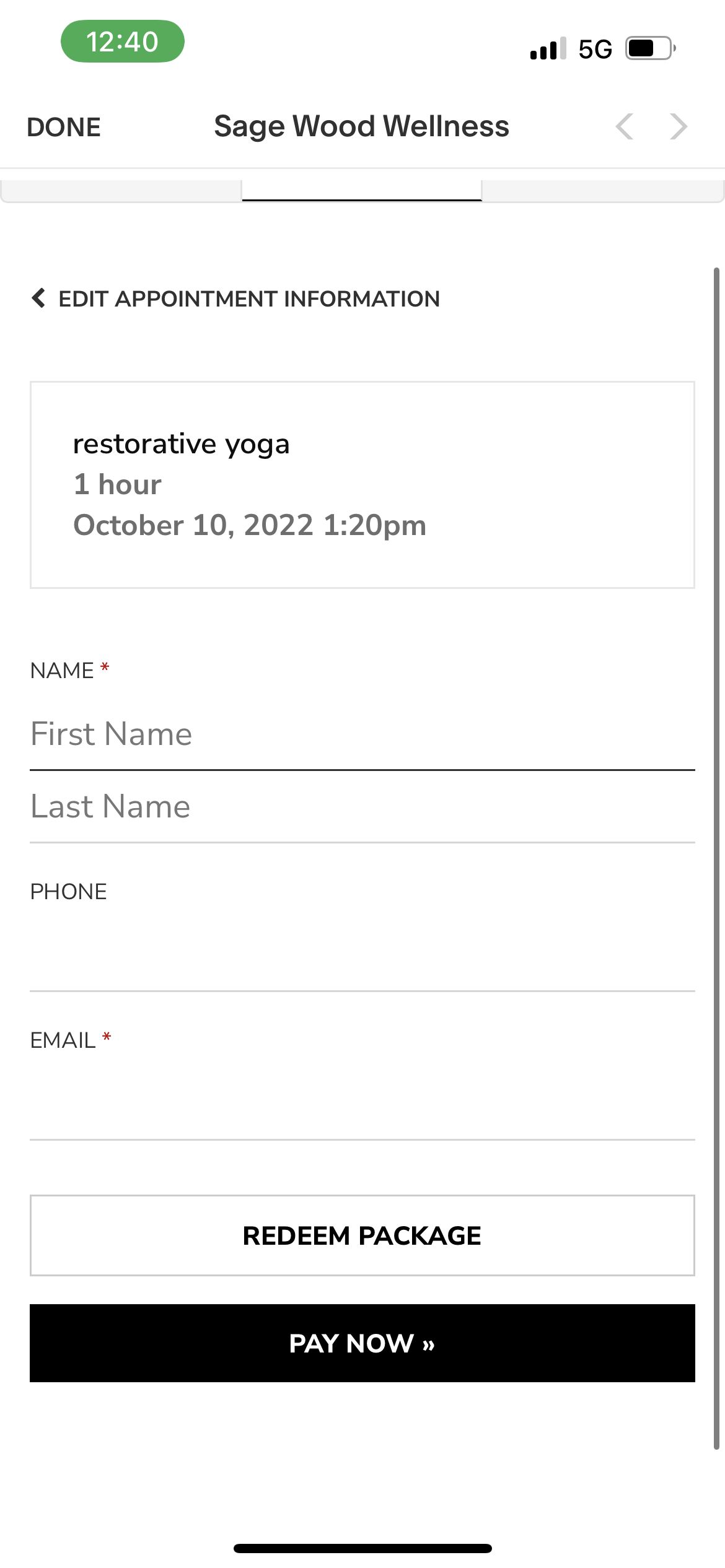
Once You Create Your Account. You Will Go Into Booking. You Choose Desired Class For Desired Outcome. It will Look Like This! From here.
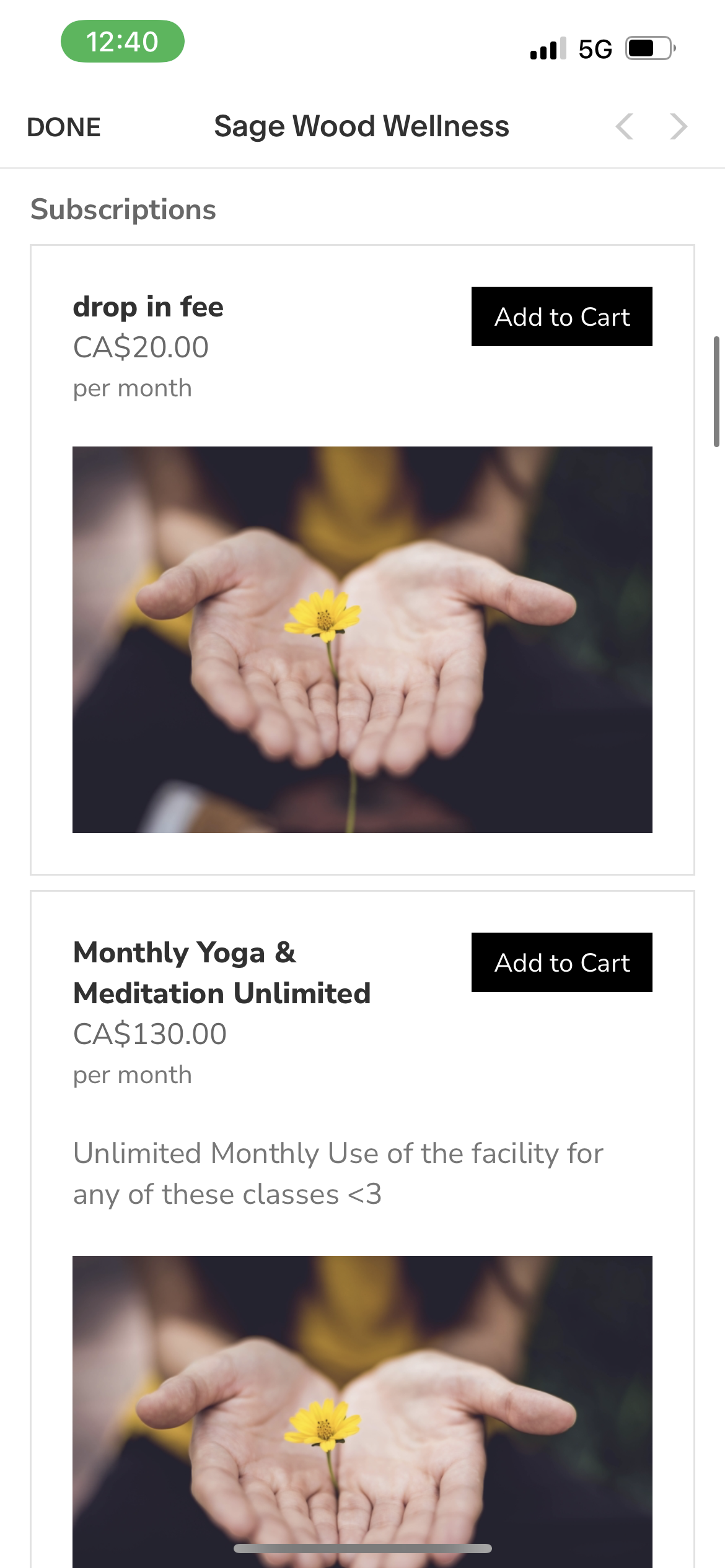
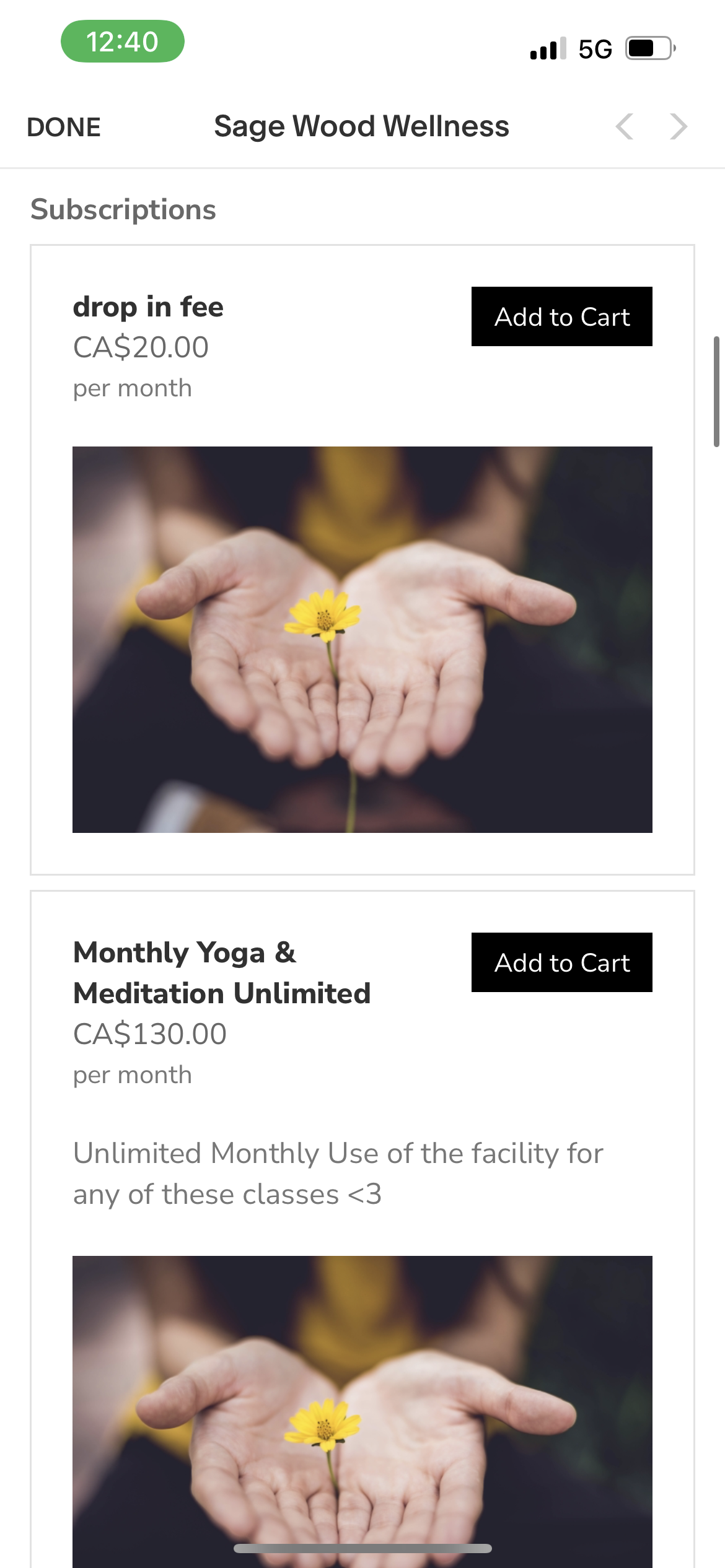
You Choose whether you have pre existing package, or would like to by new. it will look like so!
If you have a package go to redeem area, if you are purchasing new go to the purchase area. it will ask you if you have already paid. then put your email in that you use for booking, More Pictures Below!
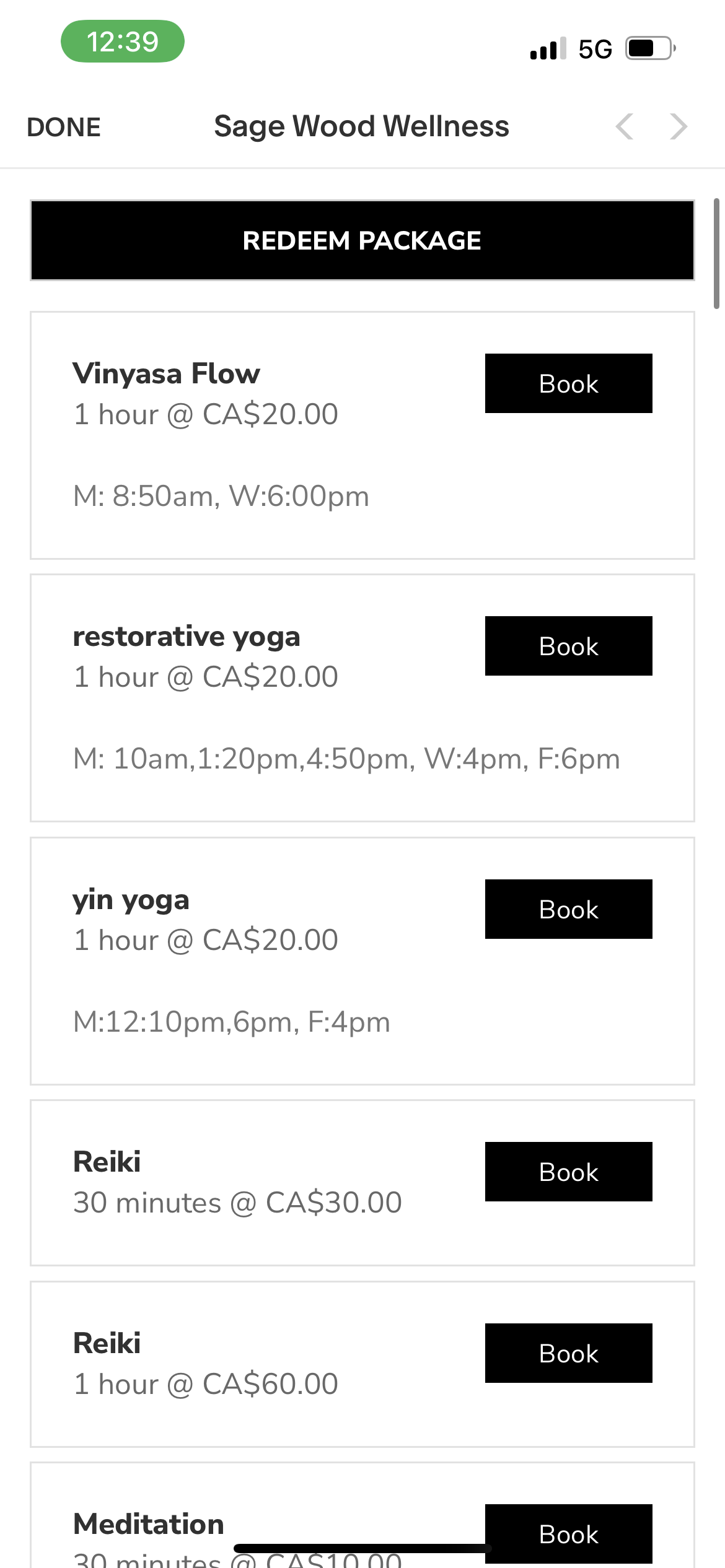
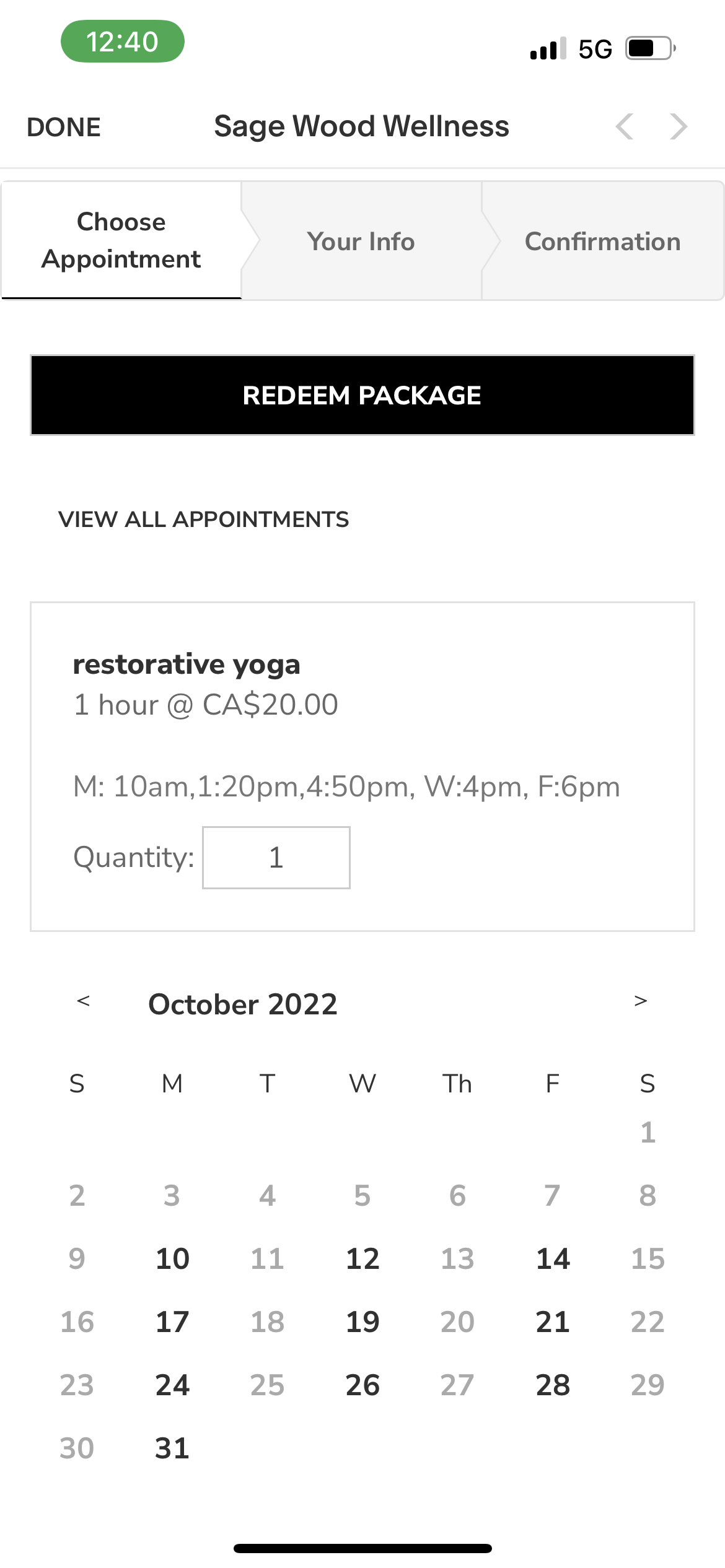
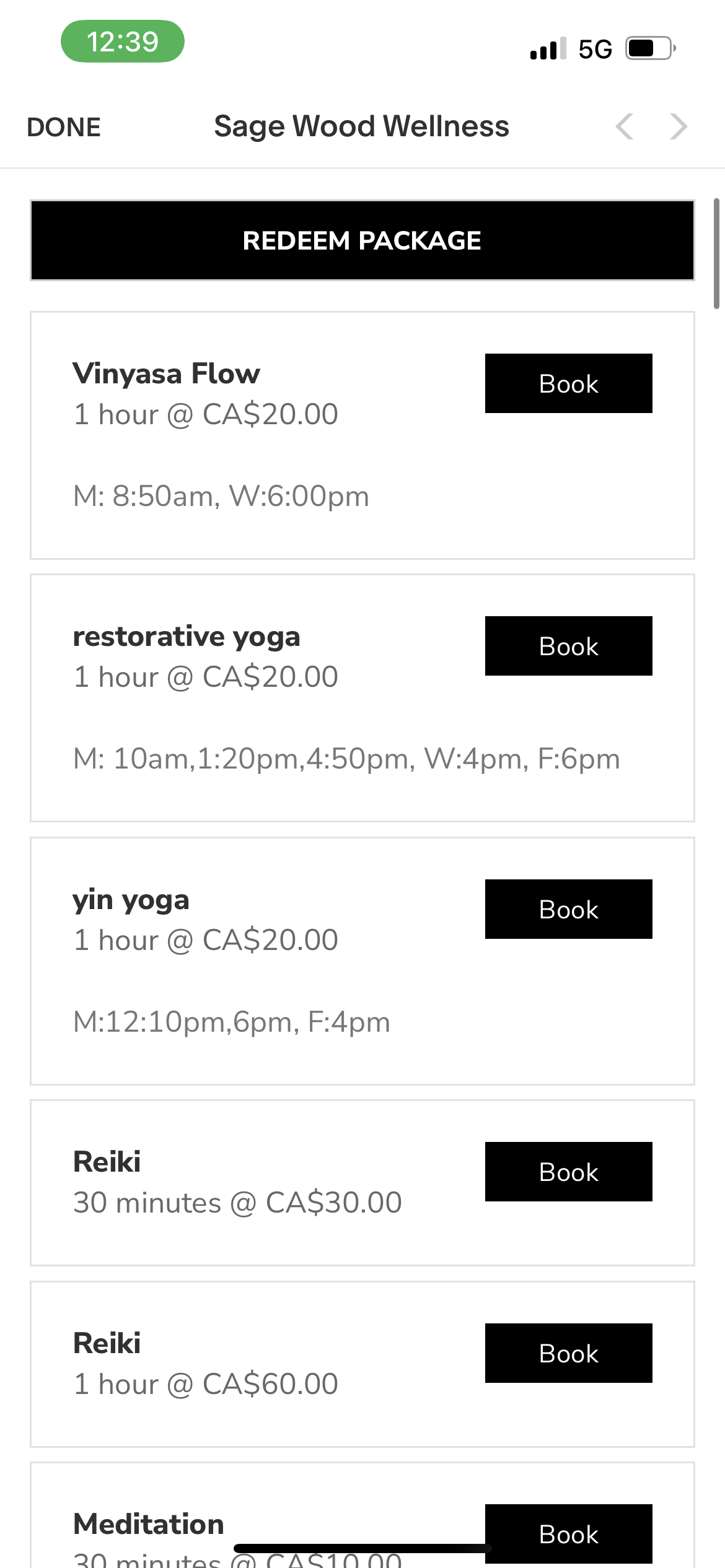
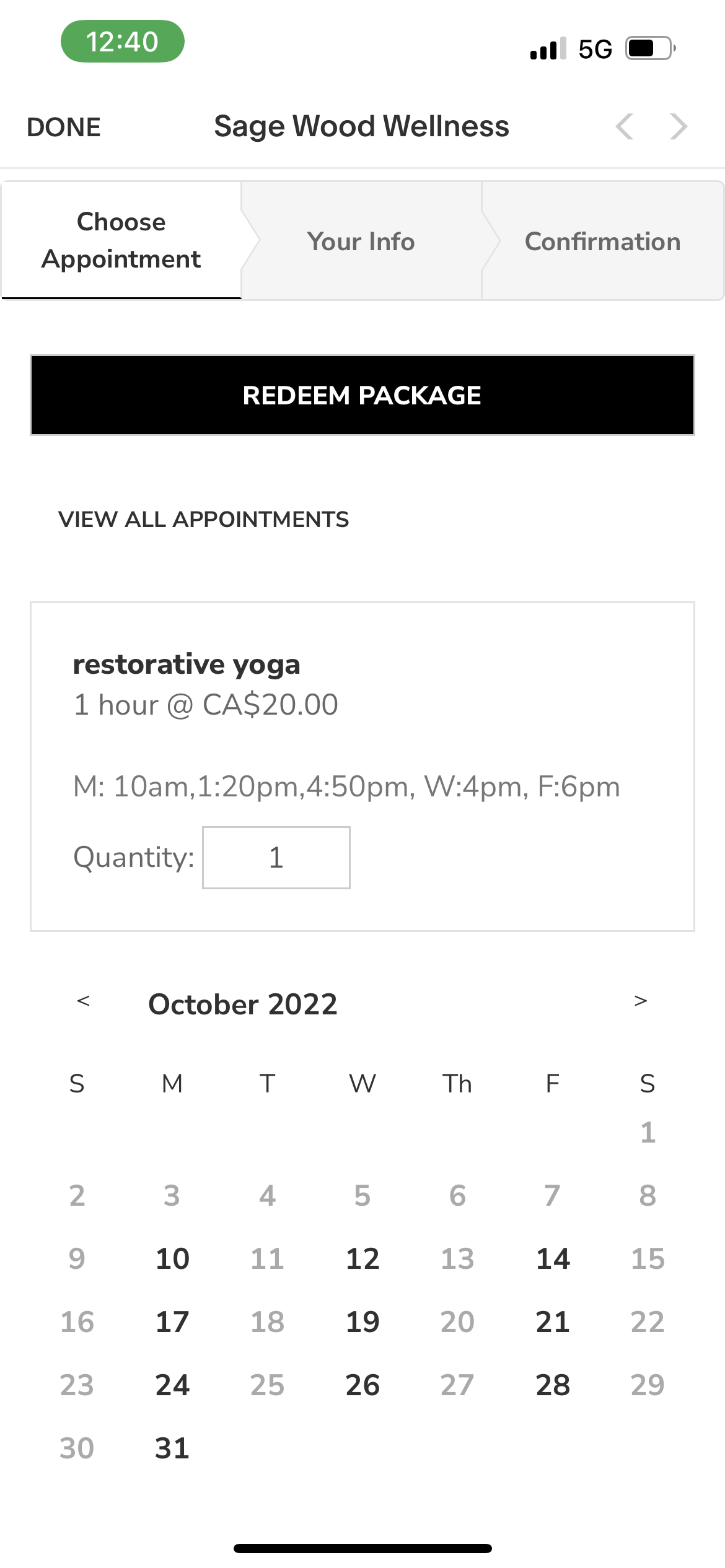
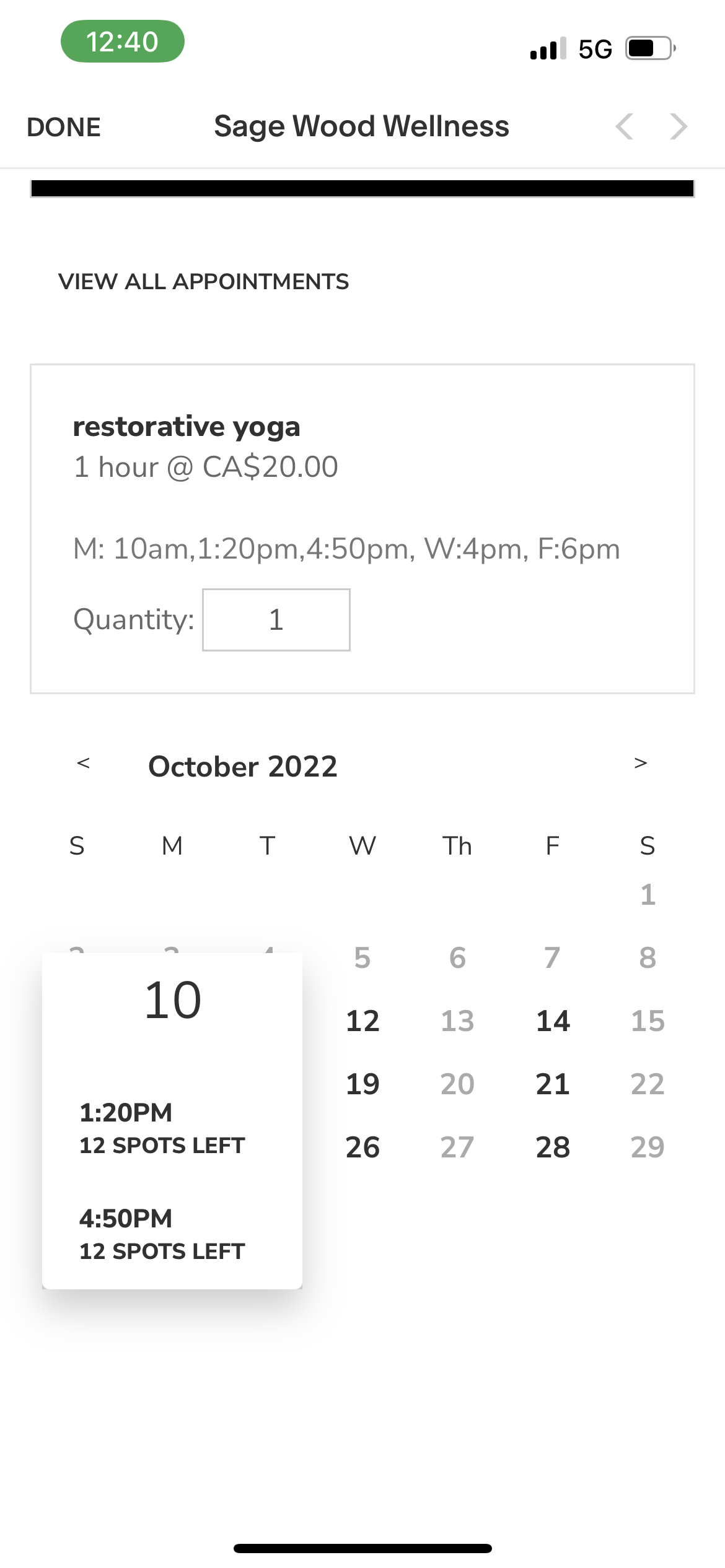
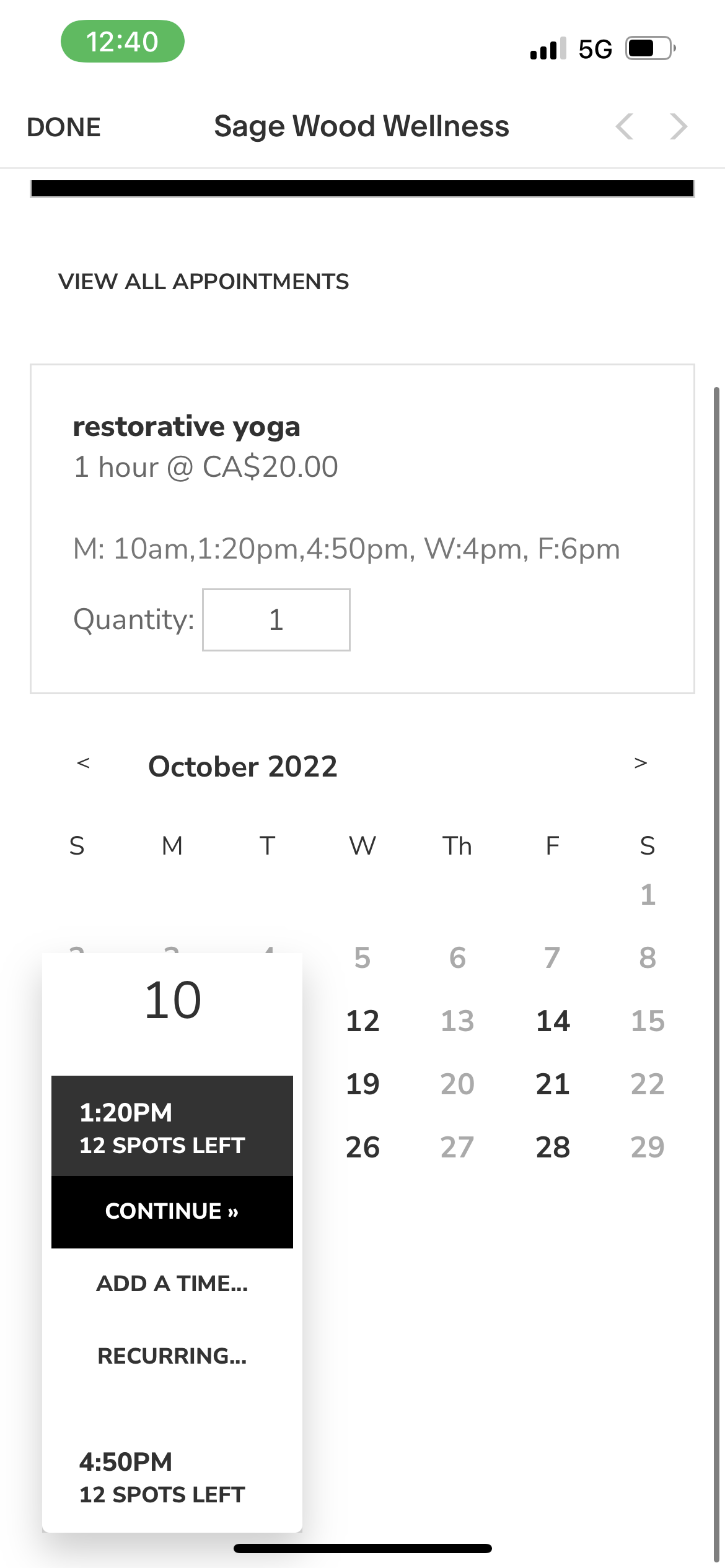
Next Pick Class, In the description are the times and days. M,T,W,F. With times beside.
Book And You will get reminders,
We will see you in class loves.